
- Staff
- #1
![[M]EliteNineTails](/data/avatars/m/0/74.jpg?1769436470)
Hello dear players,
since we have seen a lot of confusion about how to charge DC via our platforms allow me to Guide you through the process.
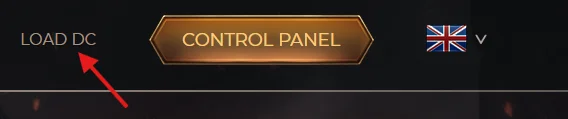
First of all you log in to our website using your credentials and you click Load DC
You can use the EPINPAY button and select the Payment Method:
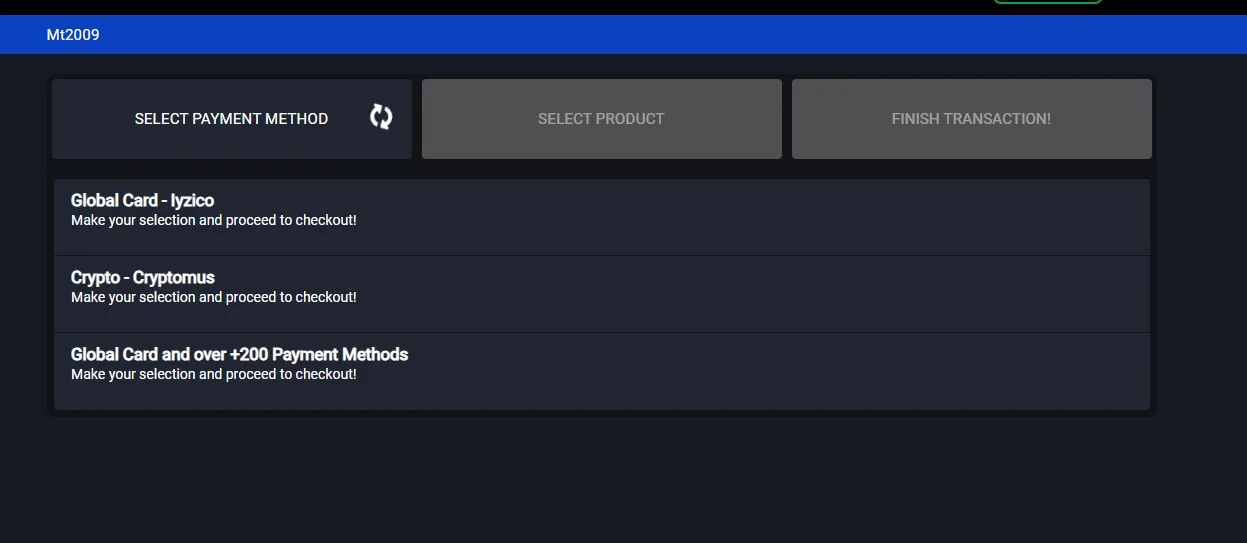
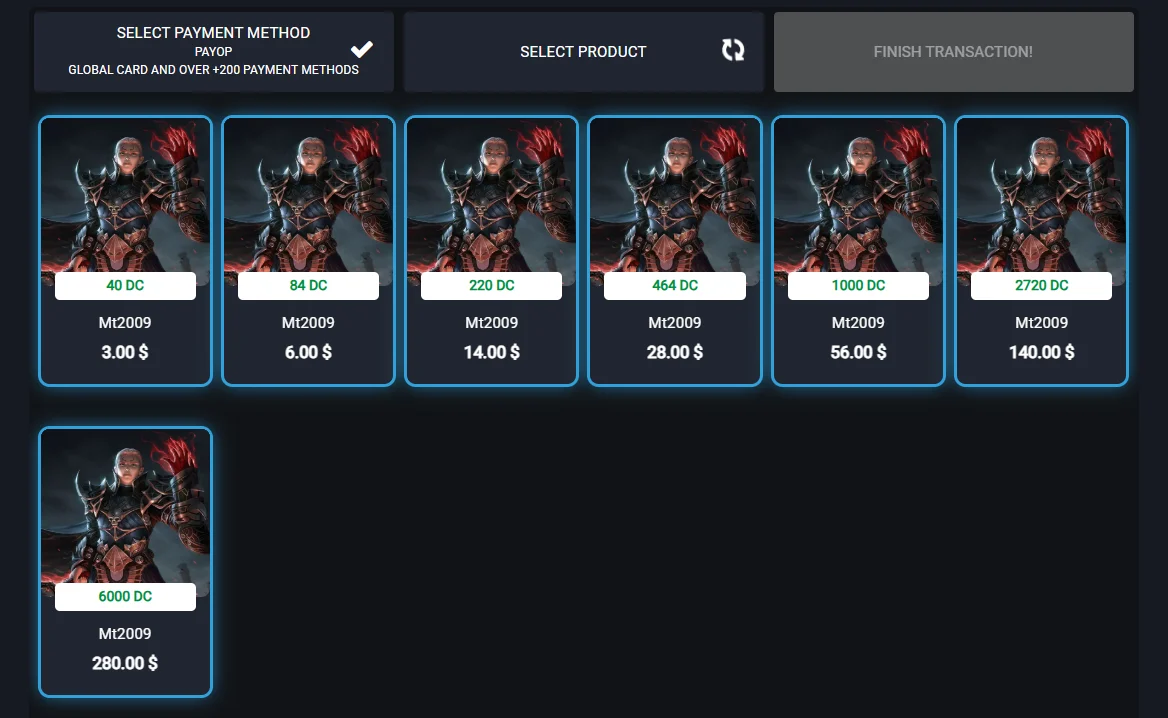
And then proceed to select the amount of DC you want to purchase:
Or you can click the KABASAKAL Button

Select the language

Select the method
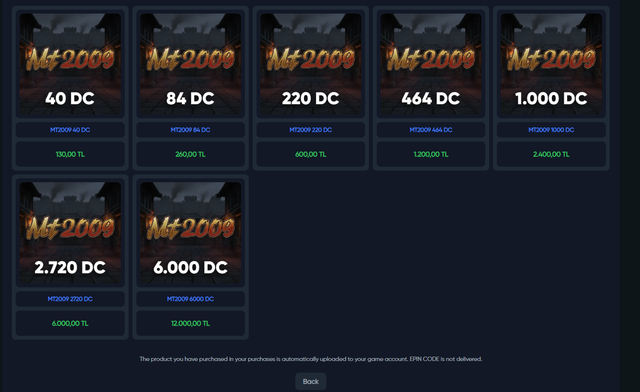
Select the amount you want to pay
Or you can click the G2G Button
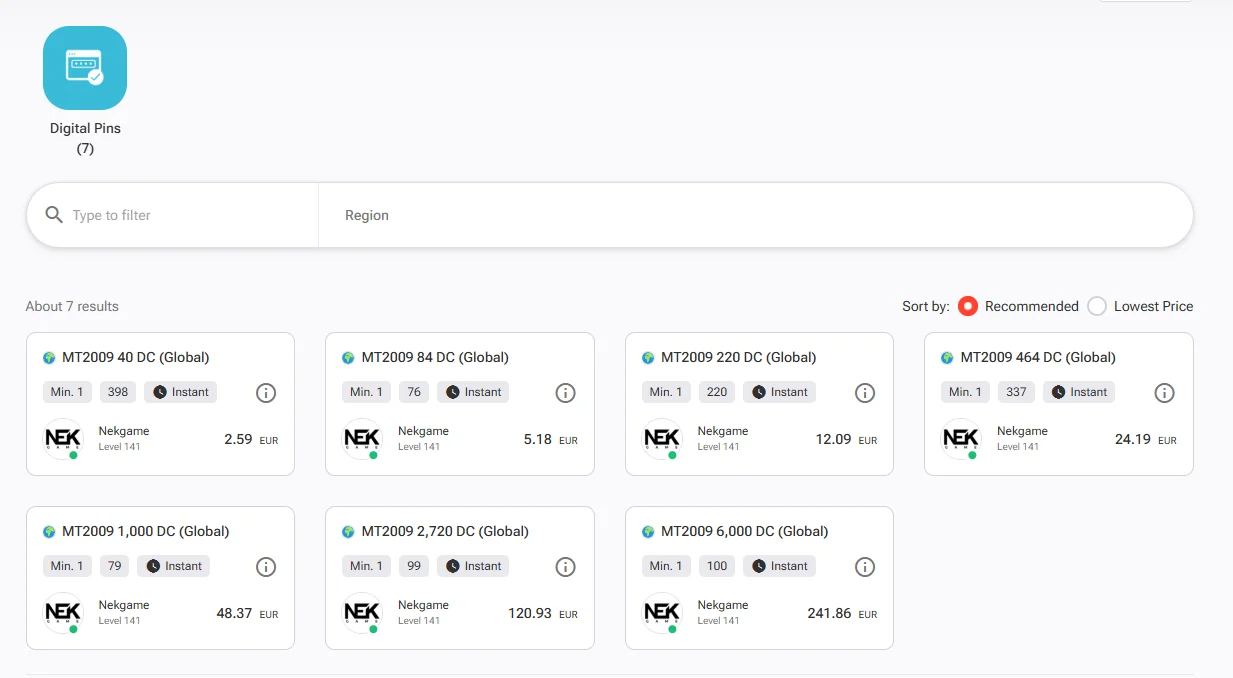
Once you complete the payment you will have to wait between 1 and 10 minutes so the website process your order
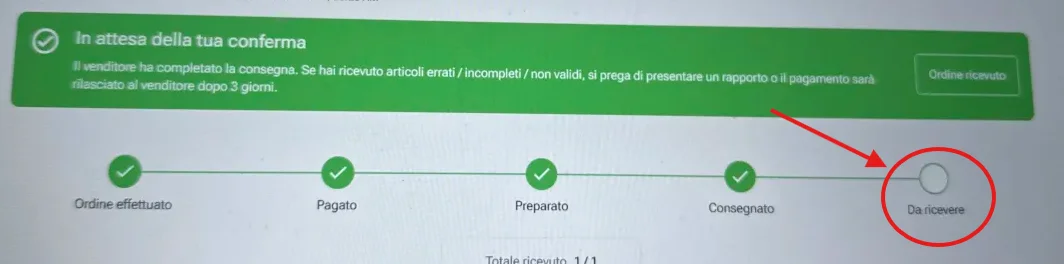
Once the website process your order you can click on your order details and see something like this:
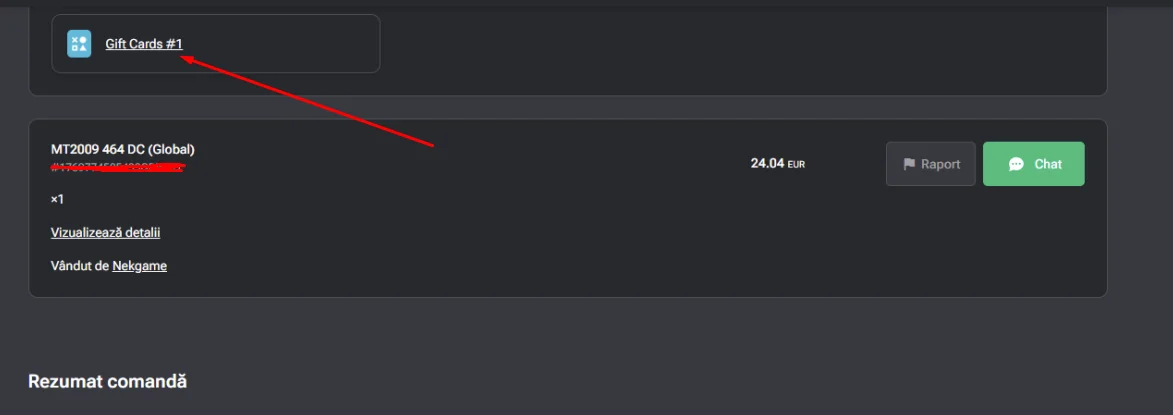
If you click on it you will be able to get 2 codes
 SAVE THEM IN A TEXT FILE!
Go back to Mt2009.eu Website and click again Load DC.
This time click G2G Exchange Coupon
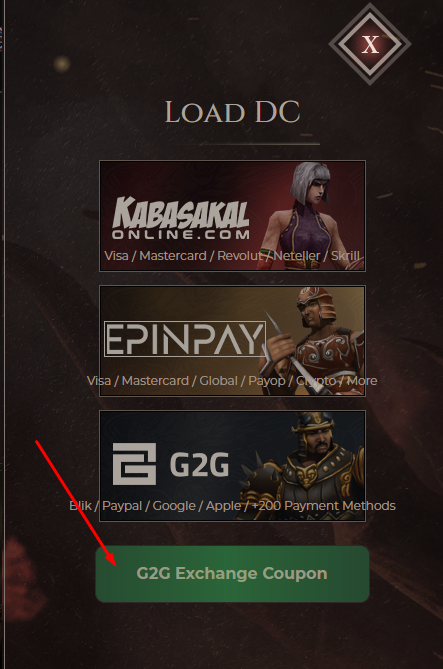
Insert the code starts with MT20- and your DC will be added to your account
 Thank you for your support
since we have seen a lot of confusion about how to charge DC via our platforms allow me to Guide you through the process.
First of all you log in to our website using your credentials and you click Load DC
You can use the EPINPAY button and select the Payment Method:
And then proceed to select the amount of DC you want to purchase:
Or you can click the KABASAKAL Button
Select the language
Select the method
Select the amount you want to pay
Or you can click the G2G Button
Once you complete the payment you will have to wait between 1 and 10 minutes so the website process your order
Once the website process your order you can click on your order details and see something like this:
If you click on it you will be able to get 2 codes
SAVE THEM IN A TEXT FILE!Go back to Mt2009.eu Website and click again Load DC.
This time click G2G Exchange Coupon
Insert the code starts with MT20- and your DC will be added to your account
Thank you for your support Attachments

Last edited by a moderator: